The Path of Exile 1 & 2 overlay that guides you through both campaigns.
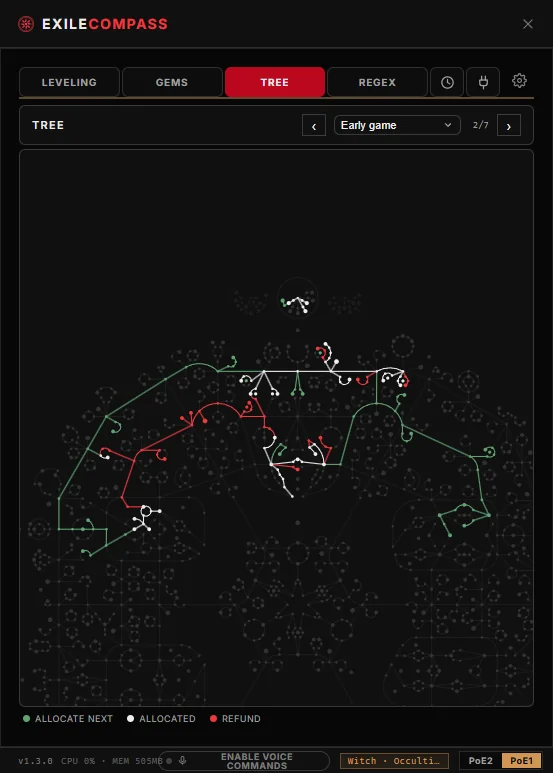
Track campaign progress and rewards, and follow the gems and passive tree from your Path of Building import. You can also control it by voice.
Nine tools in one overlay
Everything you need for the campaign, in one window over the game.
Quest Tracking
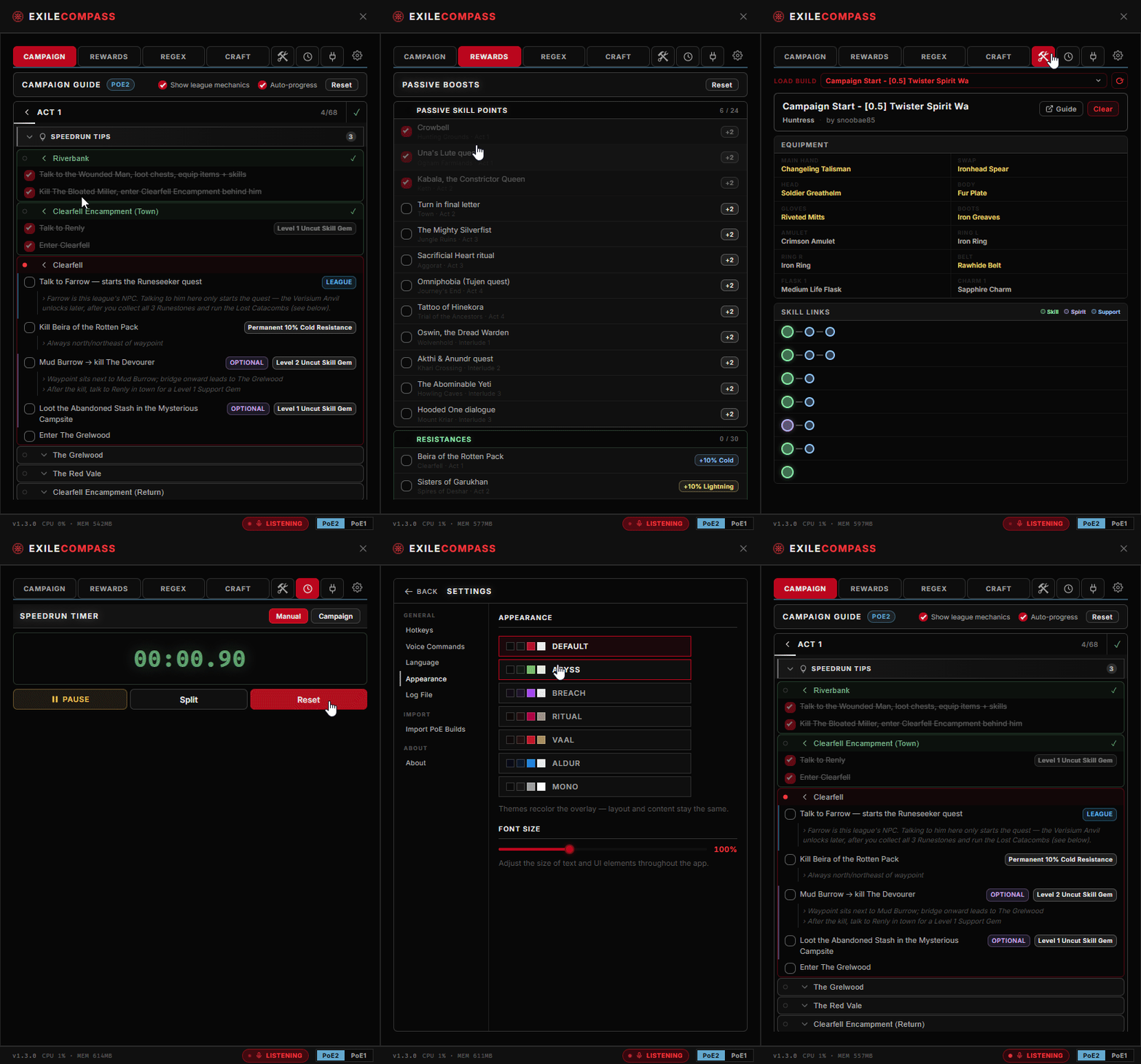
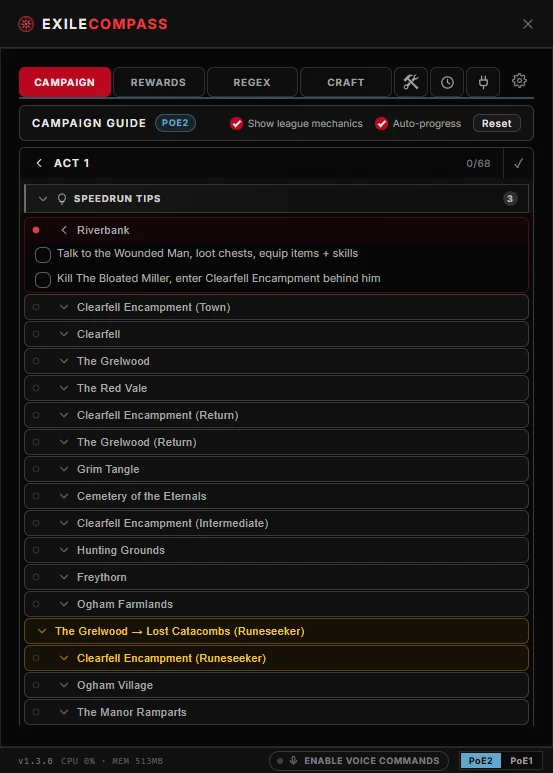
Act, zone and objective checklists with rewards, warnings and speedrun tips. Auto-progress reads your game log and keeps a "you are here" marker on your current zone.
Build Import
Import from Path of Building code, pobb.in links, or GGG .build files, or point it at your BuildPlanner folder. View skill links, gear and stats, and turn any item's mods into a stash search.
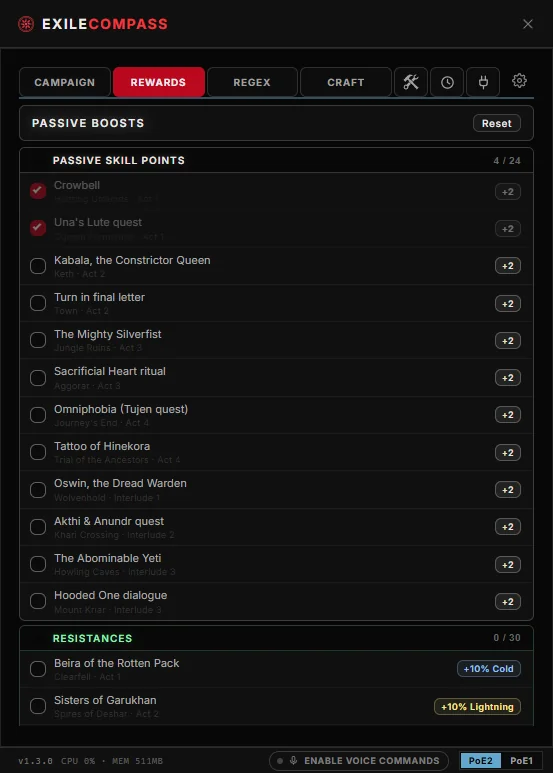
Passive Boosts
Track every permanent campaign reward, including points, spirit, resists, life and mana, and choice buffs. With your log file set, rewards tick themselves off as you earn them.
Regex Creator
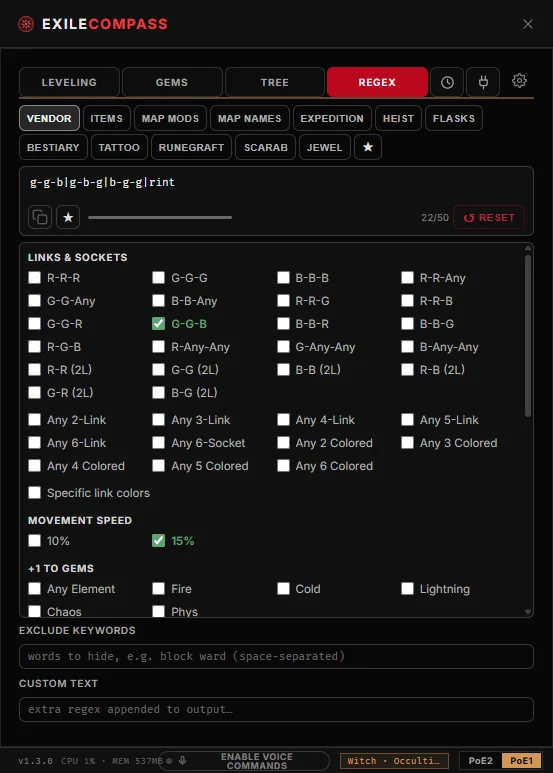
Build stash and vendor search strings from snippets, presets and AND/OR/NOT groups, save favourites, and copy them with one click. Available for both games.
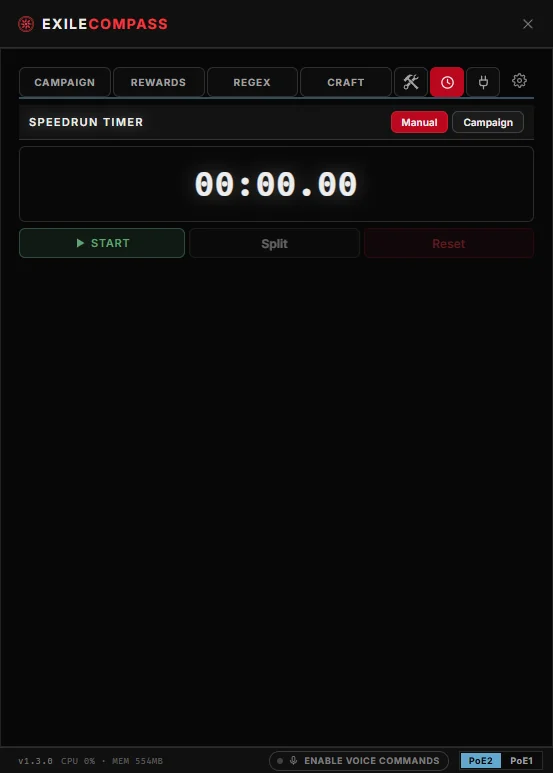
Speedrun Timer
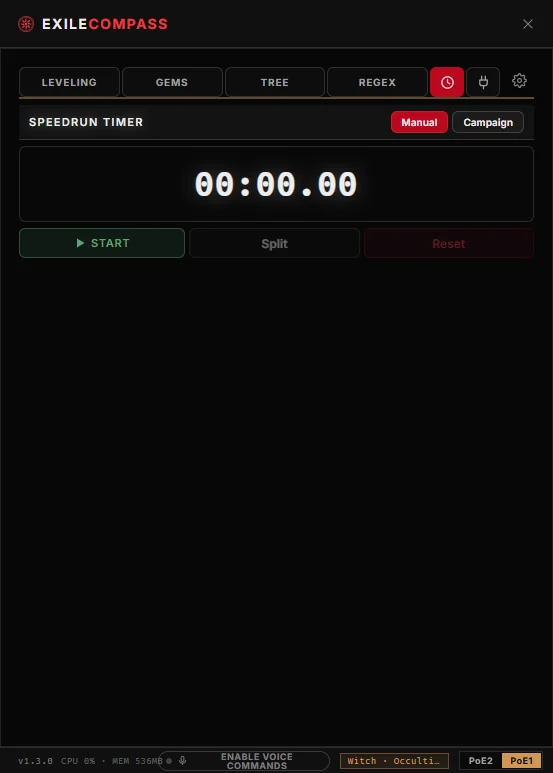
A manual stopwatch with named splits, or a campaign mode that splits per act from the game log. Each game keeps its own run, and runs survive restarts.
Overlay Controls
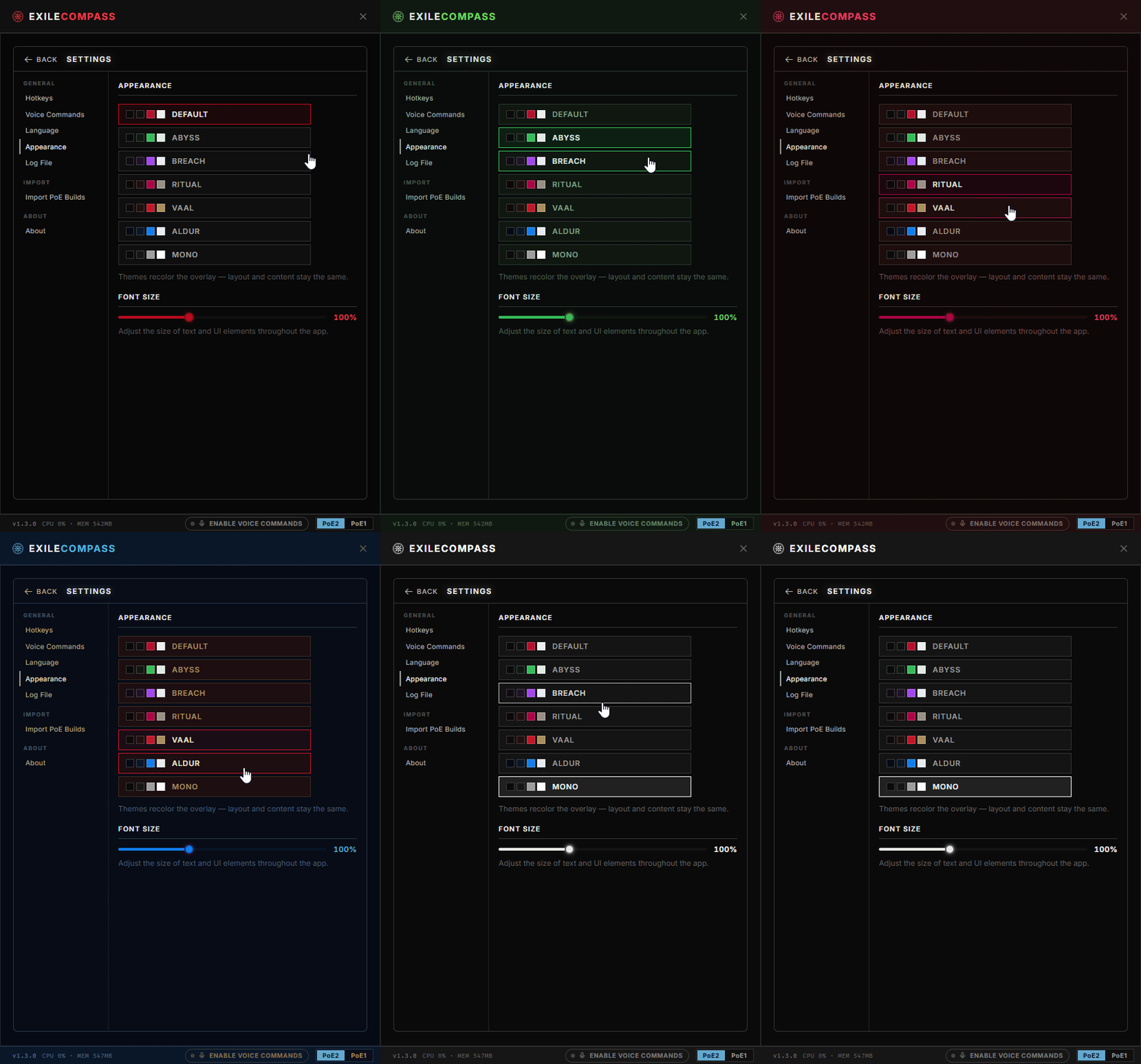
Auto-attach when the game launches, toggle click-through and visibility with global hotkeys, and pick from seven themes, a font-size slider and click-through opacity.
Crafting Guides
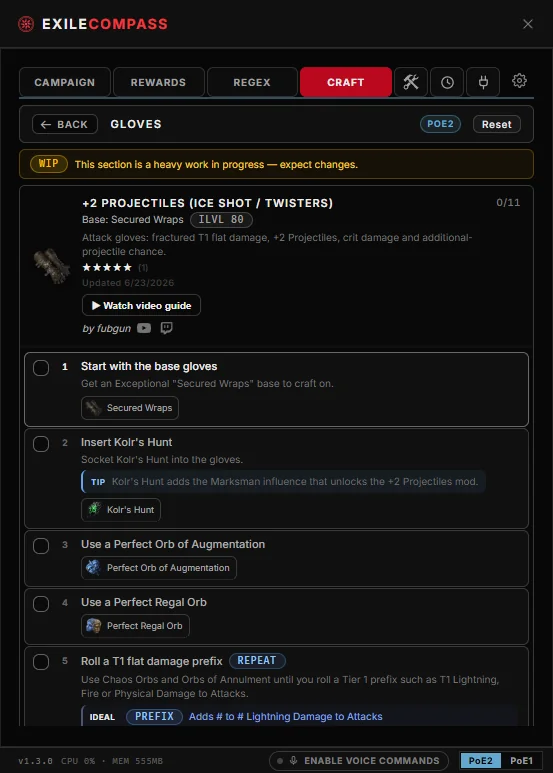
Step-by-step crafting walkthroughs by equipment slot, with currency, omens, success and fail branches. Community-written and refreshed in the background.
Voice Commands
Say "compass next" to tick off a step, switch tabs, drive the timer or hear what gem sits in a slot. Fully offline; nothing is recorded or sent anywhere.
Add-ons
Install community add-ons from the registry or a manifest URL, pin their panels as tabs, and manage permissions and updates from the Add-ons hub.
A leveling guide for Path of Exile 1.
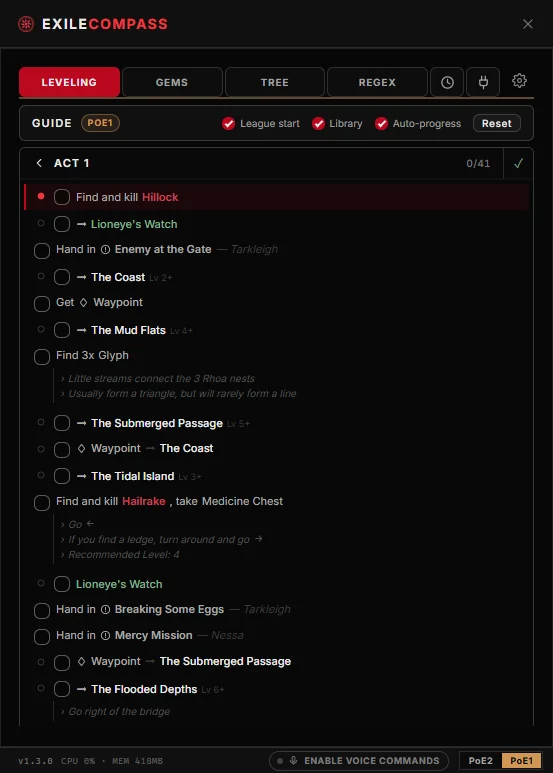
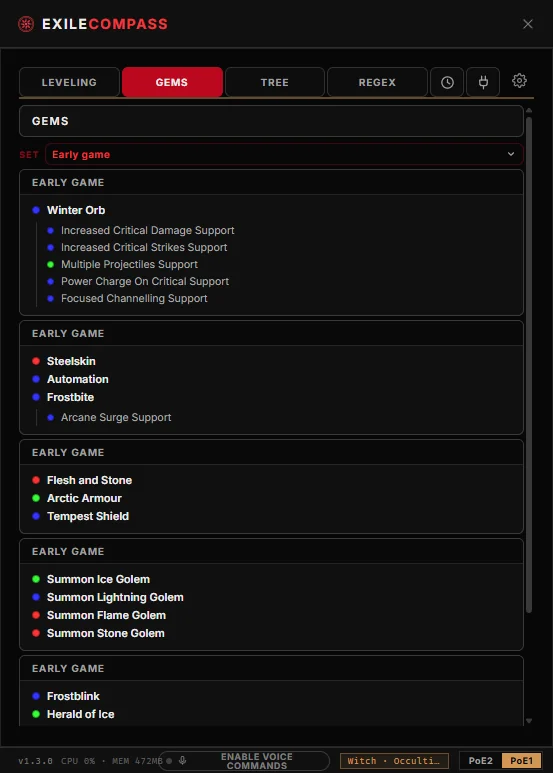
Switch the overlay to Path of Exile 1 for an act-by-act leveling route with an auto-progress marker. It shows the gem rewards and passive-tree plan from your Path of Building import next to the route, plus a regex builder, timer and zone-layout decoder.
- Follow a complete act-by-act route with checkable steps and route options
- Import your Path of Building build to track quest gem rewards as you earn them
- Compare passive-tree specs and see exactly which nodes changed
- Act-Decoder floats the zone layout for your current area and follows you between zones
Track every act and interlude.
The campaign view lists each act and interlude in Path of Exile 2 with a count of completed steps, so you can see what is done and what comes next.
- Collapsible act & interlude sections with progress counts
- Filter steps by type: Spirit, Passive, Boss and more
- Reset and replay any time for a fresh league start
Collect every permanent reward.
Exile Compass lists every passive skill point, attribute reward and quest boon with its source and act, so you do not miss any on the way to maps.
- Tick off rewards as you earn them, with running totals
- Each boost tagged with its zone, quest and act
- Pairs with your imported build while you level
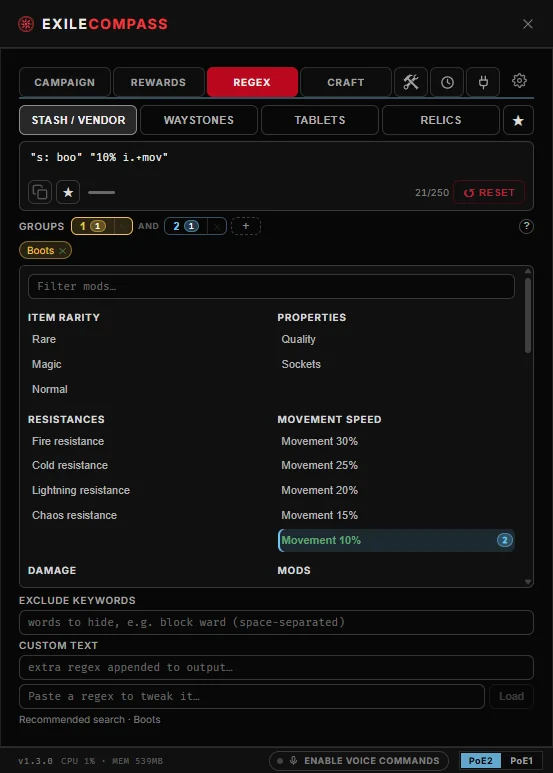
Build stash searches without learning regex.
Assemble in-game search strings from snippets for vendors, waystones, tablets and relics, then copy them to your clipboard.
- Pick from mod snippets and ready-made presets
- Combine conditions with AND / OR / NOT groups
- A live 250-character counter keeps you under the game's limit
Time your run with per-act splits.
Use a manual stopwatch with named splits, or campaign mode, where per-act and interlude splits advance on their own from the game log. Nothing to click mid-fight.
- Start, pause and reset with per-act & interlude splits
- Scene-log detection advances segments automatically
- Splits persist between restarts, so a run survives a crash
- Each game keeps its own campaign run, and voice commands can start, split and stop it
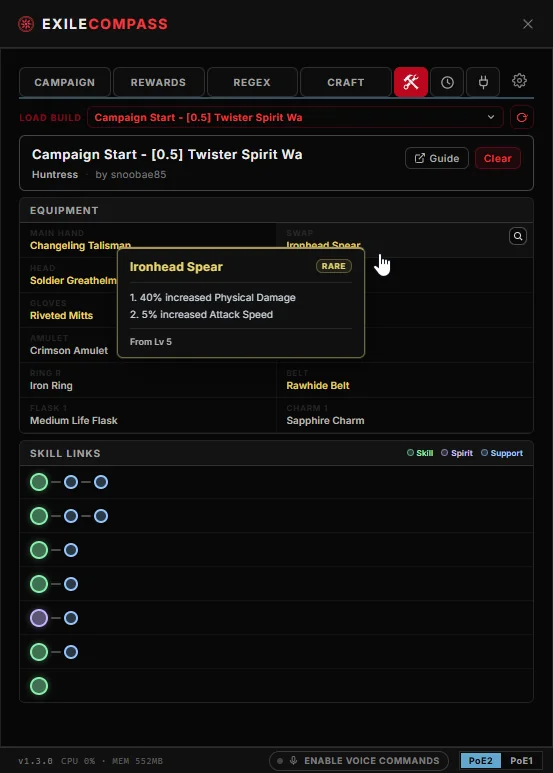
Keep your build beside the campaign.
Import from a Path of Building code, a pobb.in link, or an official GGG .build file. Your skills and gear stay visible beside the campaign.
- Import from PoB code, pobb.in, or GGG .build files
- View skill links, full equipment, stats and build notes
- Switch between multiple skill and item sets
Follow crafts step by step.
Community crafting guides built into the overlay: the base, the currency, the order, and the target mods. Tick off each step as you go, or browse the same guides on the web.
- Step-by-step crafts with the exact currency, omens and order
- Success / fail branches for gamble steps like fracturing and chaos spam
- Community-written; new guides arrive without an app update
Make the overlay look the way you want.
Pick one of seven themes, set the font size and opacity, and toggle click-through so the overlay sits over the game without getting in the way.
- Seven colour themes: Default, Abyss, Breach, Ritual, Vaal, Aldur and Mono
- Adjust opacity, visibility and click-through with global hotkeys or by voice
- Auto-attach to the game window when it launches